
Imaginary Teleprompter
Imaginary Teleprompter: The Ultimate Free Script Display Creator Imaginary
Teleprompter is a powerful, open-source creator that enables anyone to build professional teleprompter setups and cinematic presentations. Its flexible browser-based architecture lets you bring scripts to life with precision control over scrolling speeds, streamlining the creative process for news departments, event videographers, and independent content creators.
Why Use Imaginary Teleprompter for Your Next Project?
Producers and presenters often ask: is Imaginary Teleprompter free? Yes, it is a completely free, community-driven software released under the GPLv3 license. It serves as a vital production hub, ensuring you stay on schedule by offering professional features like horizontal mirroring and dual-screen support that are typically locked behind expensive paywalls.
Key Features:
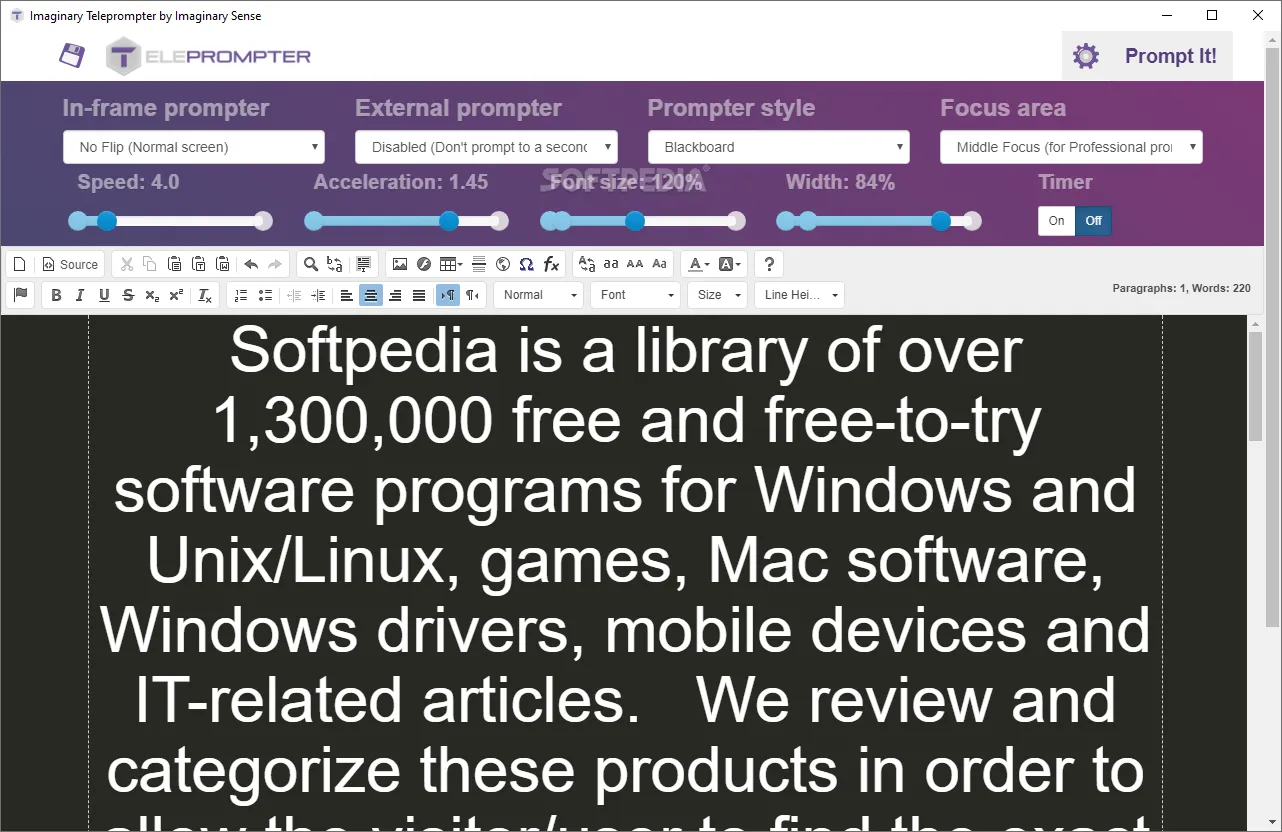
- Dual Screen & Mirroring: Flip text horizontally or vertically to use with professional before-the-lens glass rigs.
- Rich Text Editor: Customize fonts, colors, and markers directly within the interface for maximum readability.
- Webcam Mode: Practice your delivery by overlaying your script on top of your webcam feed for a self-contained rehearsal.
- Universal Platform Support: Run it directly in your browser or download native apps for Windows, macOS, Linux, and even Raspberry Pi.
How to Use Imaginary Teleprompter for Film and Business
Learning how to use Imaginary Teleprompter is simple: open the web version or desktop app, paste your text into the editor, and click “Prompt It!” to begin.
- Video Production: Map your reading pace by adjusting scroll speed in real-time using your keyboard or mouse wheel.
- Live Events: Use section markers to jump instantly to different parts of a speech during a keynote or presentation.
- Education: Create high-quality school news segments or instructional videos using a professional tool without needing a budget.
Version Comparison
- Web-based (Free): Best for quick setups on any device. Includes all core scrolling and mirroring tools.
- Desktop App (Free): Recommended for professional sets. Offers better performance, offline access, and enhanced full-screen controls.
- QPrompt (Free): The modern successor to Imaginary Teleprompter, featuring a refreshed UI while maintaining the same open-source philosophy.
Reviews
No reviews yet