
Frame io

Frame io: The Ultimate Creative Workflow Creator
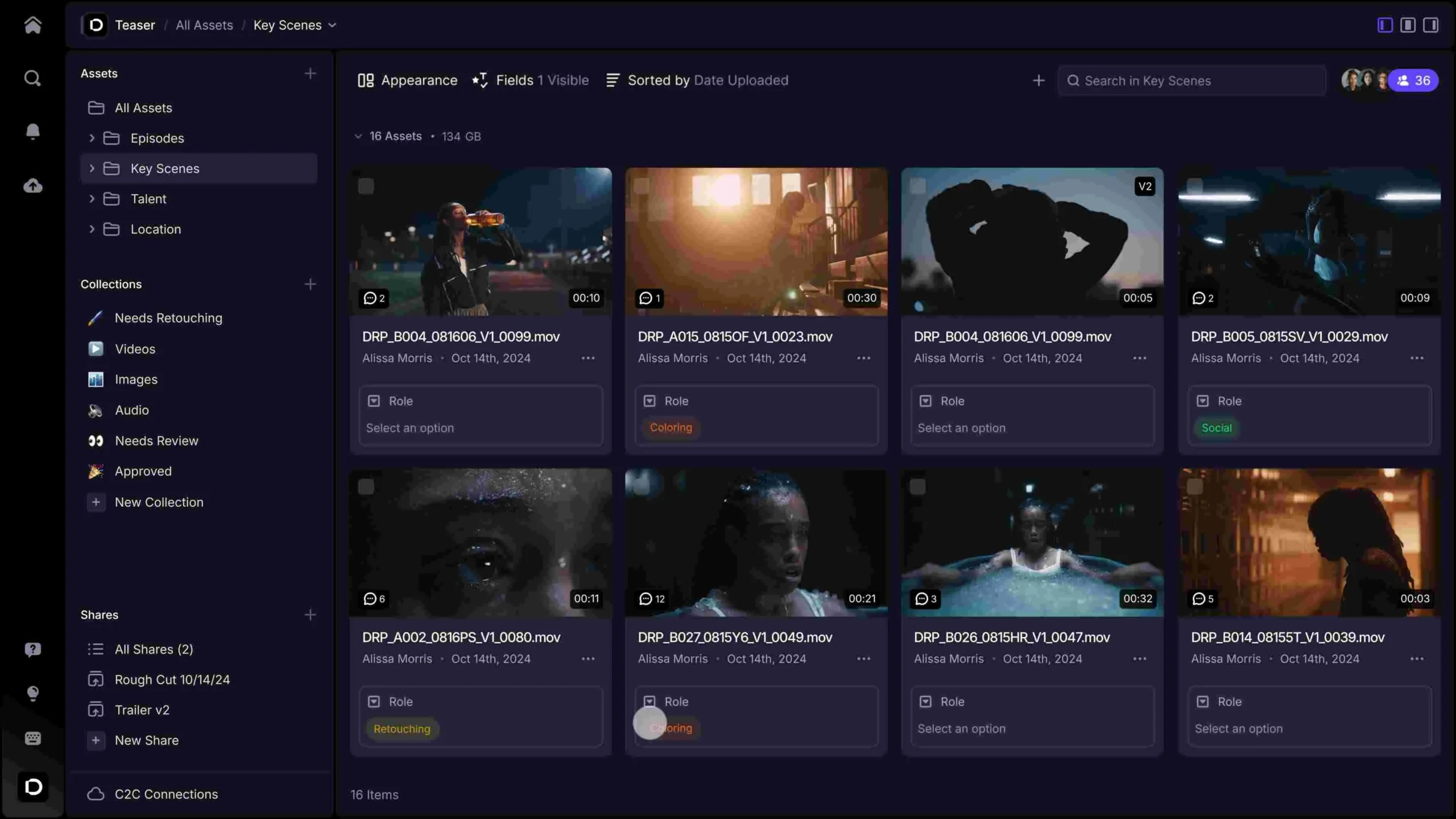
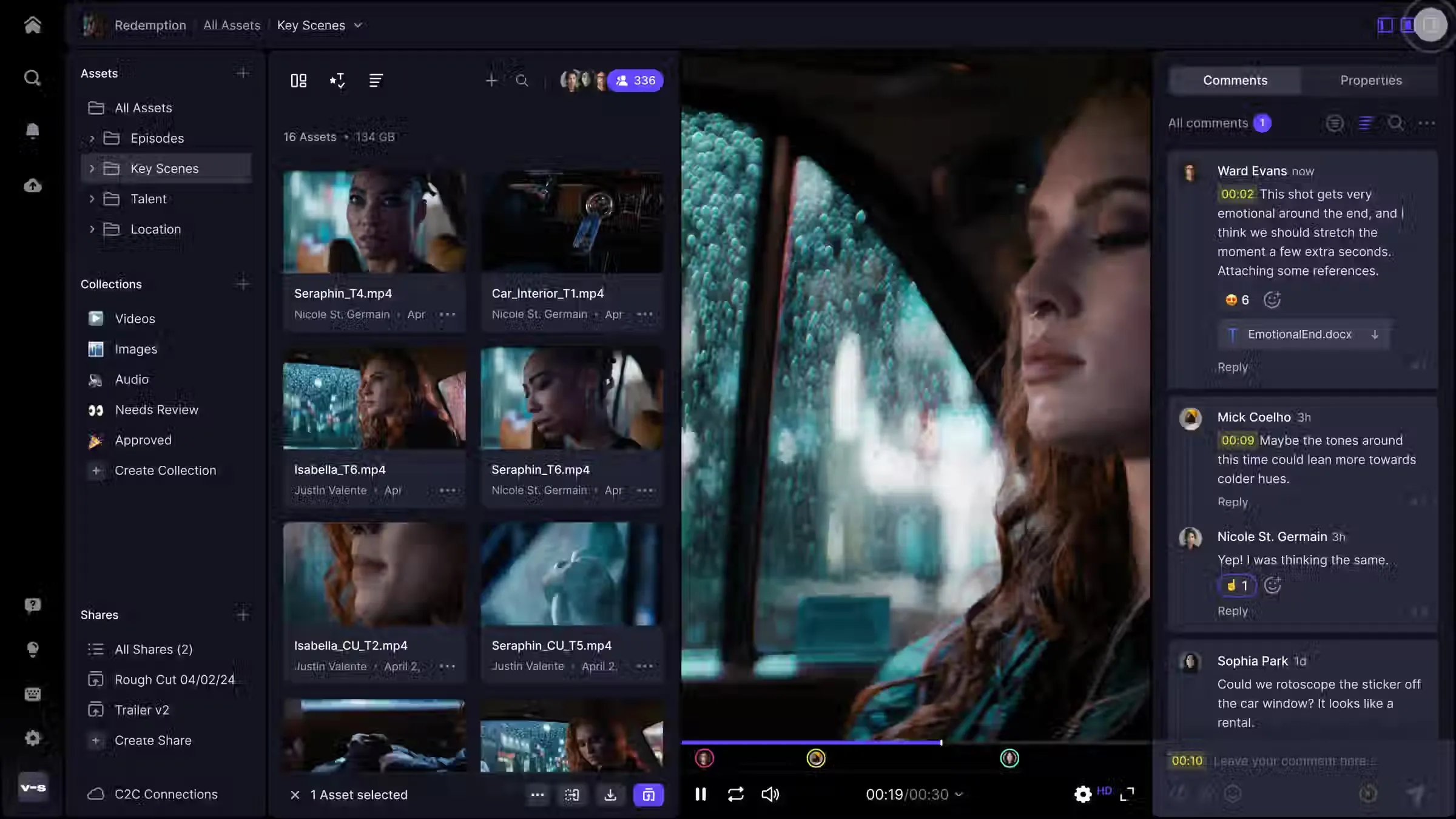
Frame io is a powerful cloud-based creator that enables anyone to manage video reviews and approvals with frame-accurate precision. Its high-speed interface lets you bring scripts to life by connecting production and post-production in real time, streamlining the creative process for editors, directors, and clients across the globe.
Why Use Frame io for Your Next Project?
Post-production teams often ask: is Frame io free? The platform offers a robust Free Plan for up to 2 users and 2 projects, while Adobe Creative Cloud subscribers receive a specialized version with 100GB of storage at no extra cost. It serves as a vital production hub, ensuring you stay on schedule with its “Camera to Cloud” technology that delivers footage to editors moments after the director yells “cut.”
Key Features:
- Frame-Accurate Commenting: Leave feedback on specific frames with drawing tools and time-stamped annotations.
- Camera to Cloud (C2C): Upload proxy files directly from compatible cameras to the cloud during principal photography.
- Version Stacking: Drag a new edit over an old one to automatically stack them, keeping your workspace organized.
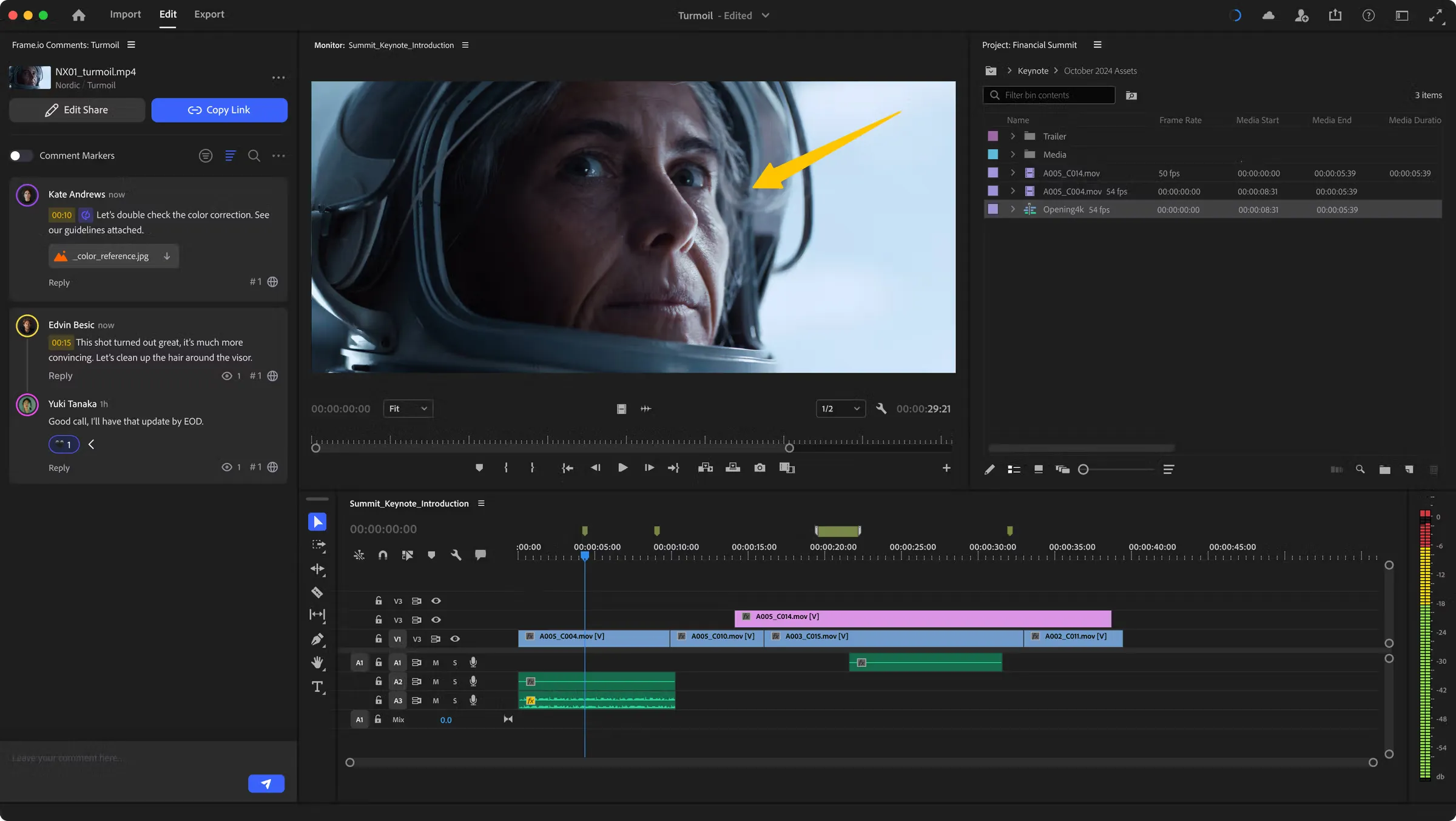
- Seamless Integrations: Work directly inside Adobe Premiere Pro, Final Cut Pro, and DaVinci Resolve using native panels.
How to Use Frame io for Film and Media
Learning how to use Frame io is simple: upload your media via the webapp or the high-speed Transfer app to begin gathering feedback.
- Reviewing: Share a secure “Review Link” with clients so they can leave notes without needing to create an account.
- Approvals: Use the “Status” labels to mark clips as “Needs Review,” “In Progress,” or “Approved” to track progress.
- Presentation: Create custom-branded “Presentation Links” to showcase your final reels or rough cuts in a beautiful, distraction-free environment.
Version Comparison
- Free Plan: Ideal for freelancers. Includes 2 users, 2GB of storage, and 2 active projects.
- Pro Plan ($15/mo): Perfect for small teams. Unlocks 2TB of storage, unlimited projects, and 4K Ultra HD playback.
- Team Plan ($25/mo): Designed for larger studios. Adds 3TB of storage, private projects, and team-only internal comments.
Reviews
No reviews yet