
CinePaint
CinePaint: The Professional Deep-Paint Creator
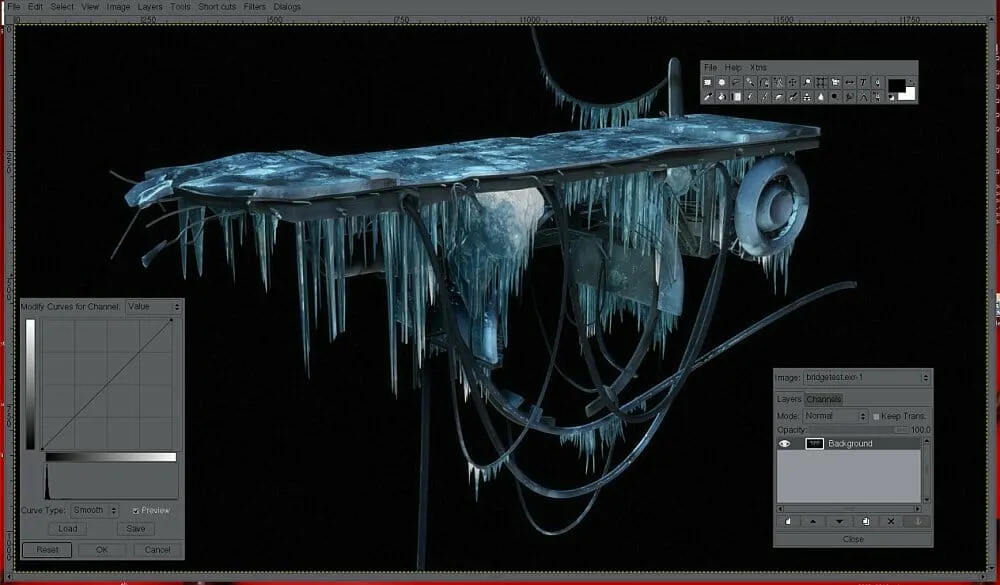
CinePaint is a powerful open-source creator that enables anyone to perform high-resolution image retouching and background matte painting. Originally a fork of GIMP, it has been refined specifically for the motion picture industry. Its deep color support lets you bring scripts to life by creating flawless visual environments, streamlining the creative process for VFX artists and cinematographers working on major feature films.
Why Use CinePaint for Your Next Project?
Visual effects artists often ask: is CinePaint free? Yes, it is a completely free, open-source tool that has been utilized in massive productions like Harry Potter and 2 Fast 2 Furious. It serves as a vital production hub for frame-by-frame retouching, offering a massive advantage over standard 8-bit editors by supporting 32-bit per channel color depth for true high-dynamic range (HDR) workflows.
Key Features:
- High-Bit Depth Support: Manipulate 32-bit per channel color, far exceeding the limits of standard monitors and consumer software.
- Industry File Formats: Native support for professional digital intermediate formats such as Cineon and OpenEXR, alongside JPEG, TIFF, and PNG.
- Film Restoration Tools: Specialized features designed for retouching 35mm film scans and repairing legacy footage.
- Matte Painting Excellence: Optimized for creating high-resolution background plates that blend seamlessly with live-action footage.
How to Use CinePaint for Film and Print
Learning how to use CinePaint is simple for those familiar with traditional painting software, though its power lies in its handling of high-resolution film scans.
- VFX Retouching: Open image sequences to perform frame-by-frame wire removal or blemish cleanup at professional resolutions.
- Matte Painting: Utilize the deep color capacity to paint expansive backgrounds that maintain detail even in extreme highlights and shadows.
- Photography: Use it as a general-purpose tool for print and web projects that require precision color grading and retouching.
Version Comparison
- CinePaint Open Source (Free): The full professional package. Includes all deep-paint features and motion picture file support with no licensing fees.
- Community Builds: Since it is open source, various branches exist for different Linux distributions and specialized restoration projects.
Reviews
No reviews yet